Build Your Own Music Visualizer, No Code Needed
Compose, the LimePulse visualizer builder, is a drag-and-drop music visualizer maker: an empty stage, sixteen spectrum styles, props like vinyl and VU meters, text, images and 4K rendering.
Templates are fast, but sometimes the layout in your head does not exist yet. Compose, the visualizer builder, is the other door in LimePulse: an empty stage where you compose your own music visualizer from parts, the way you would lay out a poster. No code, no keyframes, no timeline surgery. You place things, they react to your track, you render.
What is on the shelf
- Visualizers: sixteen bar and spectrum styles, from clean Horizon bars to radial rings, each with its own controls for count, color, glow and baseline.
- Props: a spinning vinyl, a photographed cassette, VU meters, a boombox, a reel-to-reel deck, a stage spotlight and a frosted glass panel.
- Backgrounds: solid color, a two-tone atmosphere, or a blurred image and even a looping video behind everything.
- Text and images: titles, artist names, logos, a second artwork, each a free-floating layer you drag, scale and rotate.
- Lyrics: tap your words in time once and they write themselves onto the video in four designed styles.
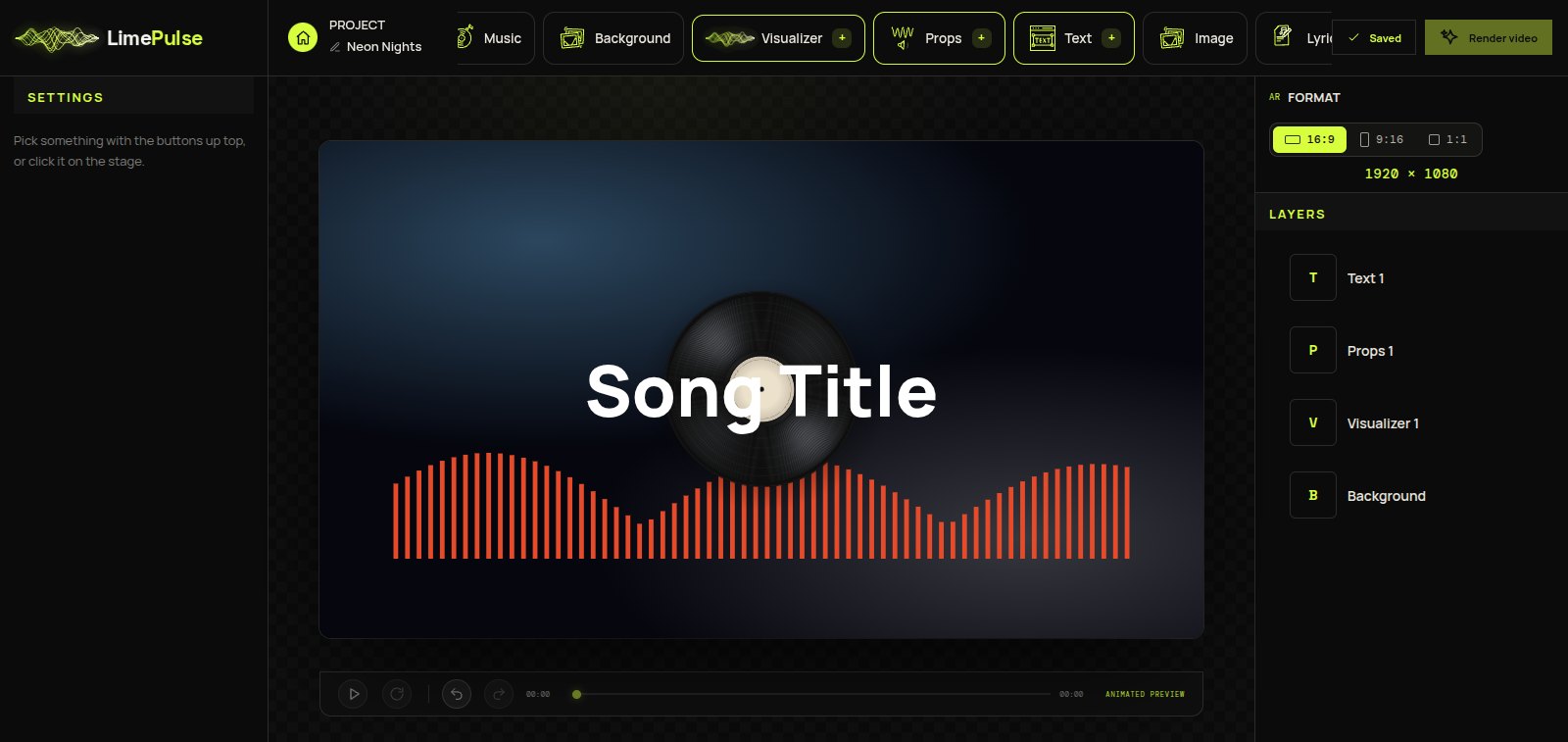
How a build actually goes
You start a new Compose project, add your music, and click things into existence from the top bar. Everything is a layer: right-click to duplicate or reorder, Delete removes, Ctrl+Z undoes, and the project autosaves as you go. The preview reacts to your real track the whole time, so you are designing to the song rather than to silence.
When it looks right, Render video produces the full-length file in 4K 60fps, and what you watched in the preview is what renders. The reactivity is the same engine the templates run on, tuned per element rather than per layout.
When to build, when to template
If a template already looks like your release, take the template, it is genuinely faster. Reach for Compose when the idea is specific: your art twice at two sizes, a vinyl in the corner instead of the center, lyrics over a video backdrop. For starting points, steal from 7 layouts you can build yourself.