How to Make a Vertical Music Visualizer for TikTok, Reels and Shorts
Turn a track into a 9:16 vertical music visualizer that fits TikTok, Instagram Reels and YouTube Shorts. One project, all three platforms.
Short vertical video is where music discovery happens now, and a static image simply does not survive the feed. A vertical music visualizer gives your track motion that stops the scroll without needing a filmed video.
Why 9:16 needs its own layout, not a crop
Most tools take a landscape scene and crop the sides off, which buries your artwork and text. In LimePulse, every template has a dedicated 9:16 layout: the artwork, bars and titles re-compose for a phone screen. The result reads like it was designed vertical, because it was.
The 4-minute workflow
- Open the studio and upload your track and cover art
- Pick a template that reads well on small screens, big shapes beat fine detail on phones
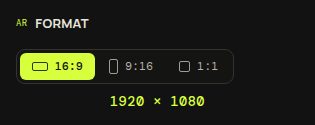
- Switch the format to 9:16
- Tune colors and fonts, keep titles large
- Render and download the vertical 4K MP4
Strong vertical picks: Pulse Halo for a clean radial pulse, Corona for drama, and Spectrum for the classic equalizer look. Browse the gallery to compare them in motion.
Platform notes
- TikTok: keep the hook inside the first second, the visualizer hitting on the first beat does that for you
- Reels: Instagram compresses hard, bold high-contrast colors survive best
- Shorts: use a snippet of your strongest section, then link the full video from your channel
One LimePulse project renders in 16:9, 9:16 and 1:1, so the same track covers TikTok, Reels, Shorts and the YouTube upload without rebuilding anything.