What Is an Audio-Reactive Video? Spectrum, Waveform and Beat Sync Explained
Audio-reactive video explained in plain language: how spectrum, waveform and beat-synced visuals move with sound, and why fake loops look wrong.
Audio-reactive means the visuals are computed from the audio itself. The bars jump because the bass actually hit, not because an animation loop happened to land there. Your eye can tell the difference within seconds, even if you cannot say why.
The three ways visualizers react
- Spectrum: a row of bars, a ring or a field of shapes, with the lows on one side and the highs on the other, each piece rising and falling with its own slice of the sound. This is the classic equalizer look.
- Waveform: the raw shape of the sound over time, the wiggly line. Great for organic, flowing styles.
- Beat and level: the punch of each hit and how loud the track is overall. This drives pulses, camera pushes and glow bursts that land on the beat.
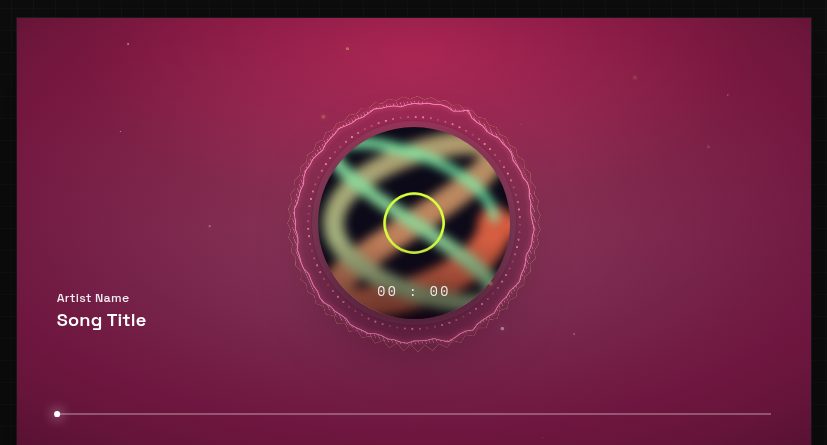
Good templates combine all three: spectrum for texture, waveform for shape, beat for impact. In LimePulse every template moves with your actual track, and each style has its own feel, so a calm waveform piece breathes while a club template punches.
Why fake loops feel off
Cheap tools ship pre-rendered animations that play the same regardless of your track. Viewers notice the drift immediately: the drop hits and nothing on screen changes. Real reactivity is the difference between a video that feels alive and wallpaper with a song over it.
Does reactivity survive platform compression?
Yes, if the motion is bold. Micro-detail gets smoothed out by TikTok and Instagram compression, which is why phone-first templates favor big shapes and strong contrast. Starting from a 4K export also helps the platforms keep more detail, more on that in the format guide.
Want to see reactivity live? Open any template demo and watch the same template respond differently to different tracks.