Apple Music Motion Art Specs: Sizes, Safe Zones and Duration
The numbers behind Apple Music motion art: 2048x2732 tall and 2160x2160 square frames, where the safe zones really are, 8 to 35 second loops, and how to hit the spec first try.
Apple Music motion art has a real spec, and files that miss it get rejected or cropped in ways you did not choose. Here is the cheat sheet, and how Motion, the Apple Music motion art studio, bakes each rule in so you do not have to think about any of it.
The two frames
- Tall (portrait): 3:4 frame delivered at 2048x2732. This is the artist page placement.
- Square: 1:1 frame delivered at 2160x2160. Used for album and featured placements.
- Both are silent, both loop, and Apple expects clean motion rather than hard cuts.
Where the safe zones actually are
The tall frame is the one that bites people. Apple's player UI overlays the top and the bottom of the picture, so only the middle band of the 3:4 frame is reliably visible. Faces, logos and type belong there; anything near the edges should be texture you can afford to lose. The square frame is the opposite: the whole 1:1 canvas stays visible.
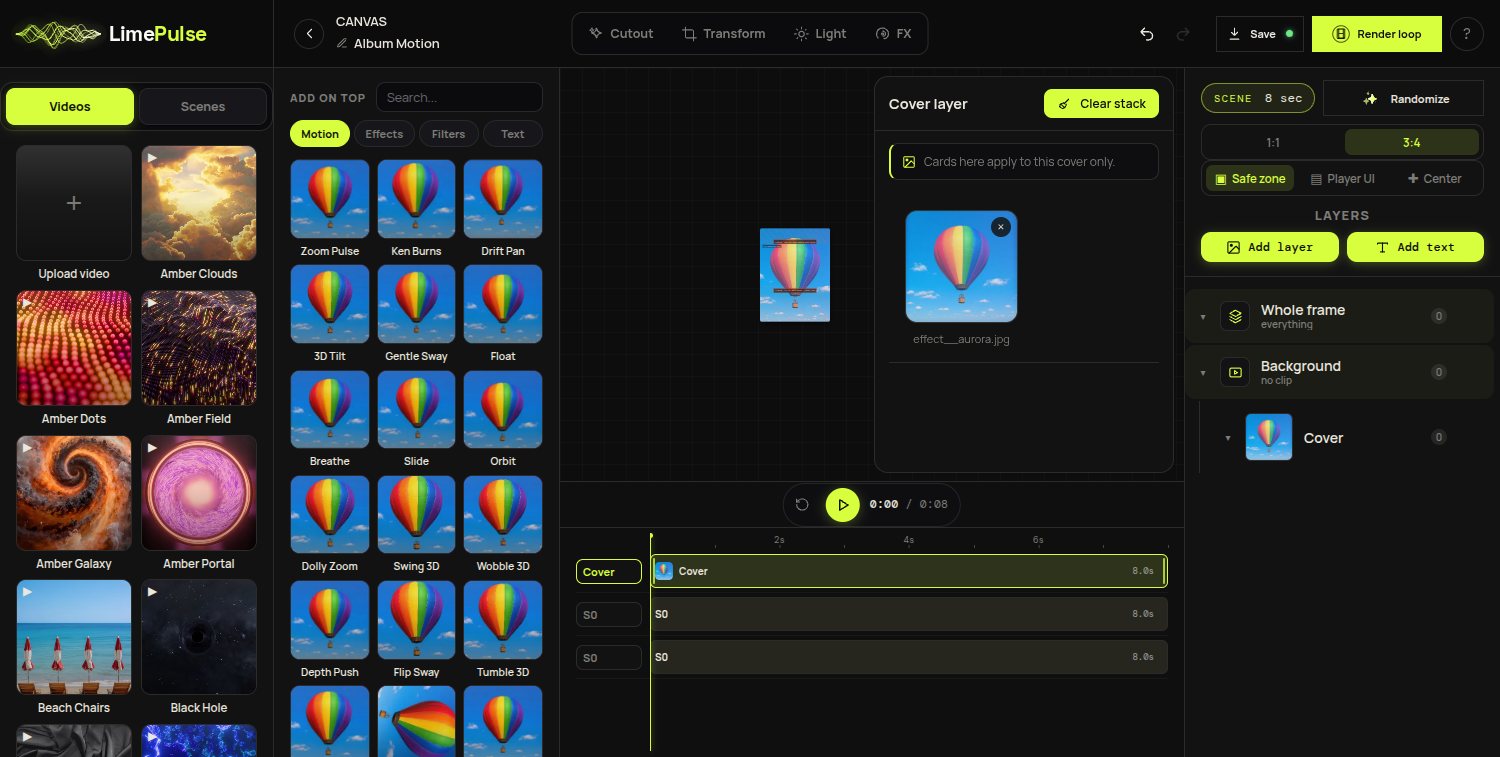
LimePulse draws these zones on the stage, measured from Apple's own partner toolkit rather than eyeballed, and keeps them visible while you design. Toggle between 1:1 and 3:4 and the composition re-frames instead of resetting.
Duration and looping
Apple accepts loops from 8 to 35 seconds. Shorter reads better on artist pages because visitors rarely linger: an 8 second loop that breathes is stronger than 30 seconds of story nobody sees the end of. The loop must be seamless, and in the studio that is guaranteed by construction: the last frame always equals the first.
Crop, never stretch
If you bring video or GIF elements into the frame, they center-crop to fit. Nothing is ever letterboxed or stretched, which is exactly how Apple's own artwork guidance expects assets to behave.
Delivery
Motion artwork reaches Apple through your label or distributor, so confirm yours supports motion art delivery. Export from the studio and you have the exact files to hand over: 2048x2732 and 2160x2160, silent, seamless, in spec. The step-by-step build guide covers the rest.